Automating GitHub Release Notes with AI

Release notes are one of those things everyone agrees are important, but they are also easy to postpone, forget, or write inconsistently.
In this article, we will walk through a progressive setup for generating GitHub release notes automatically when a pull request is merged into main.
We will start with a simple GitHub Action that calls an LLM to generate release notes. Then we will improve it step by step by adding release labels, a strict release notes template, better AI instructions, a label validator, and finally a GitHub ruleset that blocks merging unless the pull request has exactly one release label.
The main idea is simple:
Let humans decide the version bump, let GitHub enforce the process, and let the AI draft the release notes from the actual merged pull request.
By the end, the flow looks like this:
- A developer opens a pull request into main.
- The PR must have exactly one release label:
release:patch,release:minor, orrelease:major. - GitHub blocks merging if the label is missing or invalid.
- When the PR is merged, GitHub Actions calculates the next version.
- The workflow collects only the merged PR changes.
- The AI generates release notes using a strict changelog template.
- GitHub creates a version tag and a release.
Why automate release notes?
Manual release notes usually fail in one of three ways:
- they are written too late,
- they are inconsistent between releases,
- or they include either too much internal detail or not enough useful context.
Git already knows what changed. GitHub knows which pull request was merged. The PR already has a title, body, commits, labels, and code diff. That is enough context for an AI model to write a good first draft.
But there is one important rule: the AI should not decide everything.
The AI should write the notes, but the repository should still control:
- when a release is created,
- what kind of version bump is used,
- what structure the notes follow,
- and what pull request data the model is allowed to use.
That is why this setup combines GitHub Actions, labels, branch rules, and a carefully written LLM prompt.
Step 1: Start with a basic AI release notes workflow
The first version of the workflow was intentionally simple. After a pull request was merged into main, the GitHub Action collected context and sent it to the OpenAI Responses API.
At the center of the workflow is the LLM call. The exact repository code can be shared at the end of the article, so here we only need the relevant part.
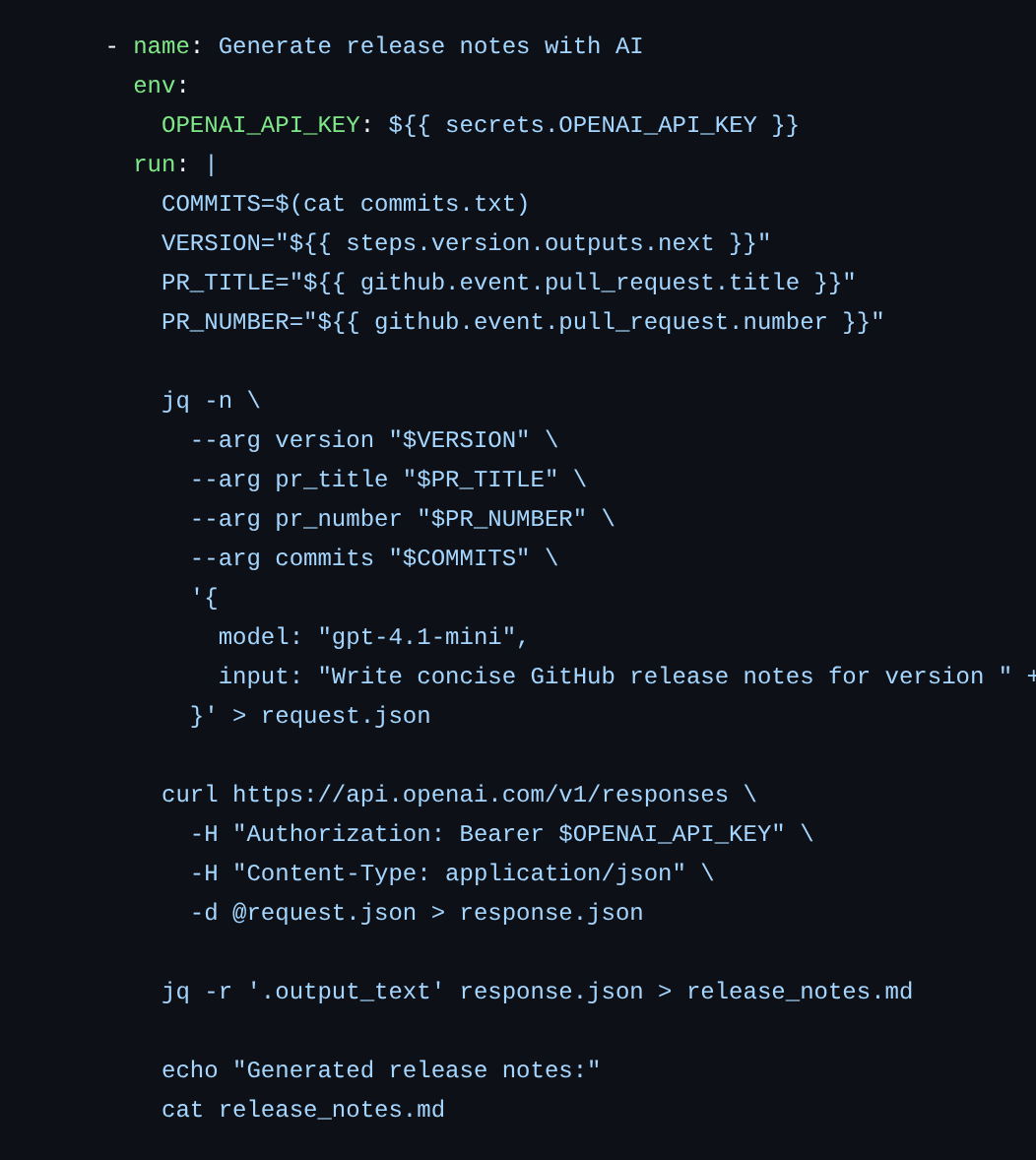
Core workflow snippet calling the Responses API with PR metadata so the model can draft structured release notes.
This already gives us something useful: a generated release_notes.md file.
But the first version has a problem. The model can write release notes, but it does not know how the version should be bumped. It also does not know what exact format we want.
So the next step is to make the release process more explicit.
Step 2: Add release labels for version control
We do not want the AI to decide whether a change is major, minor, or patch. That decision should remain human-controlled.
So we add three labels to the repository:
release:patchrelease:minorrelease:major
Each pull request must use exactly one of these labels.
The workflow then reads the label and calculates the next semantic version from the latest Git tag.
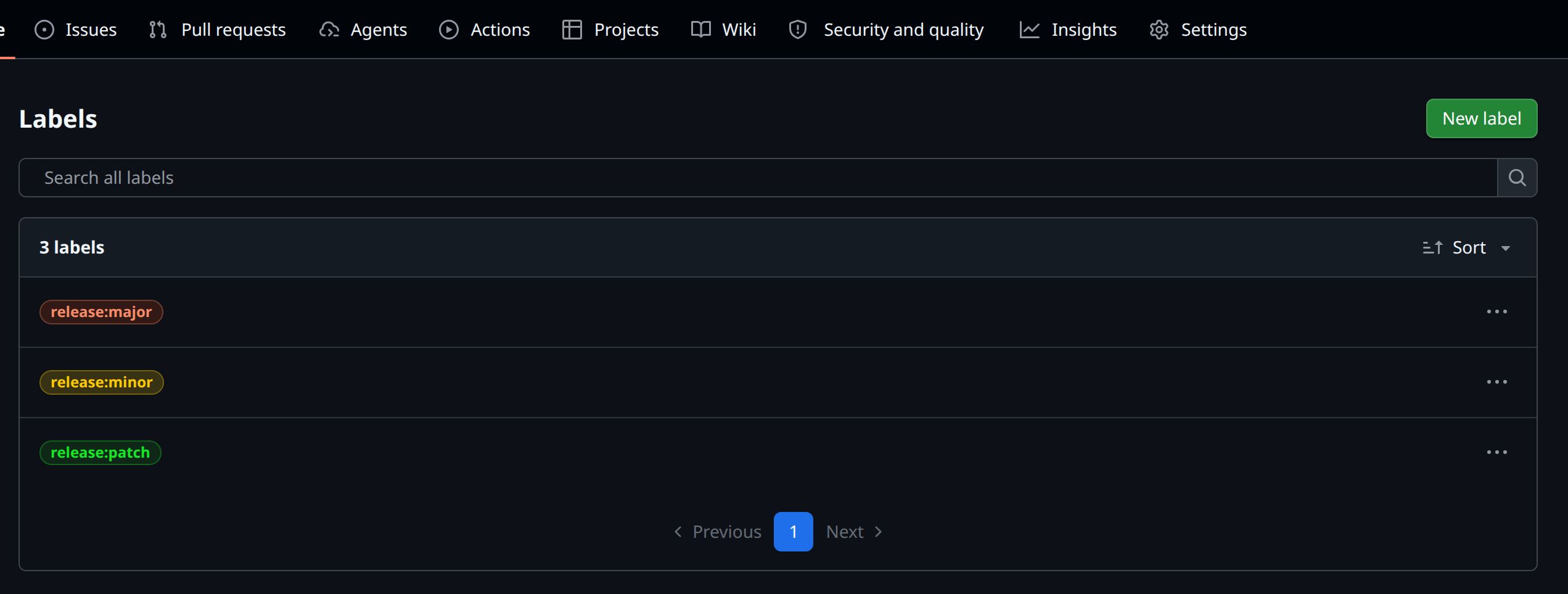
GitHub Labels page showing semantic release patch, minor, major labels.
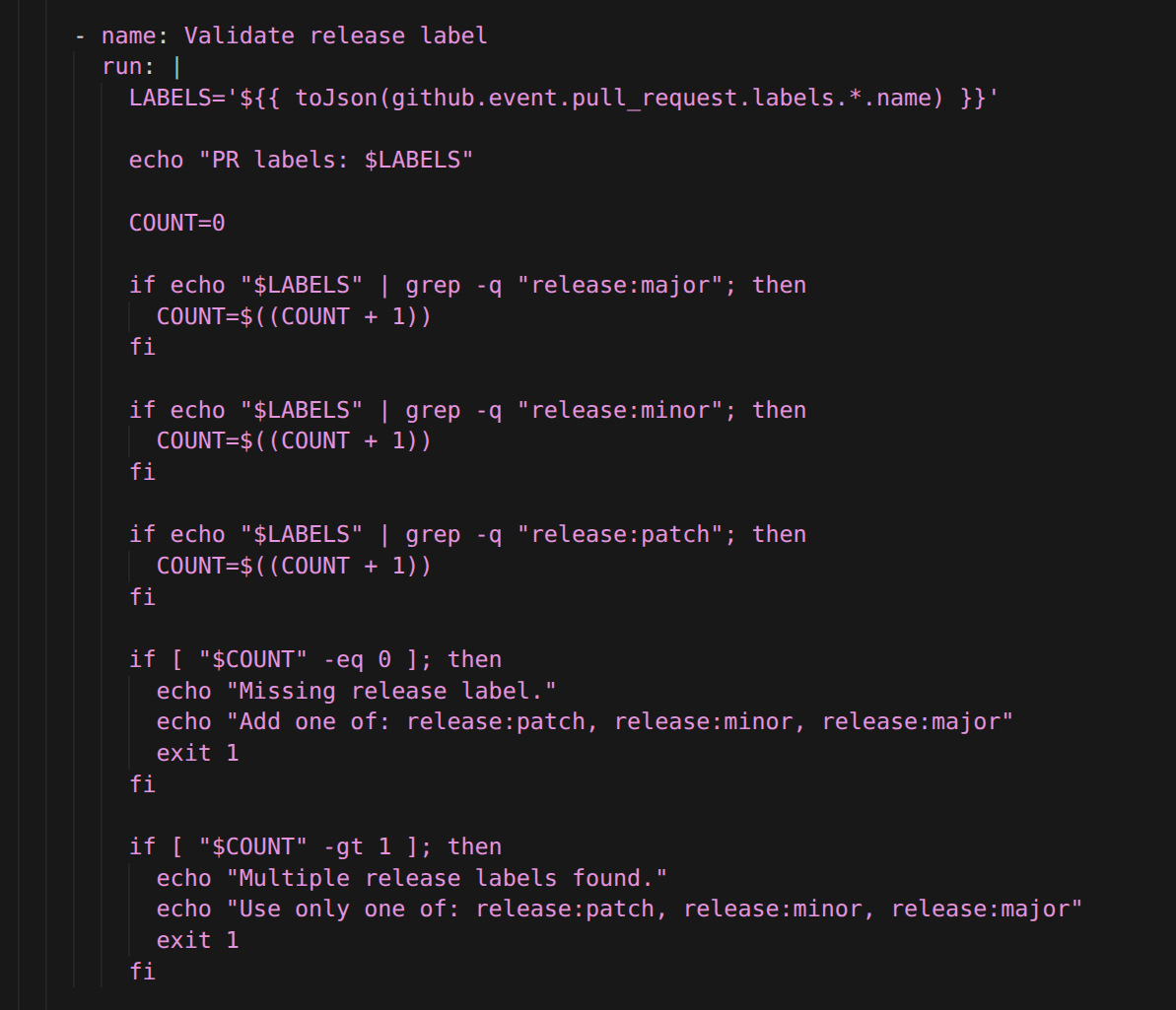
Workflow bash that counts release labels on the pull request and fails if zero or multiple labels exist.
Then we calculate the next version:
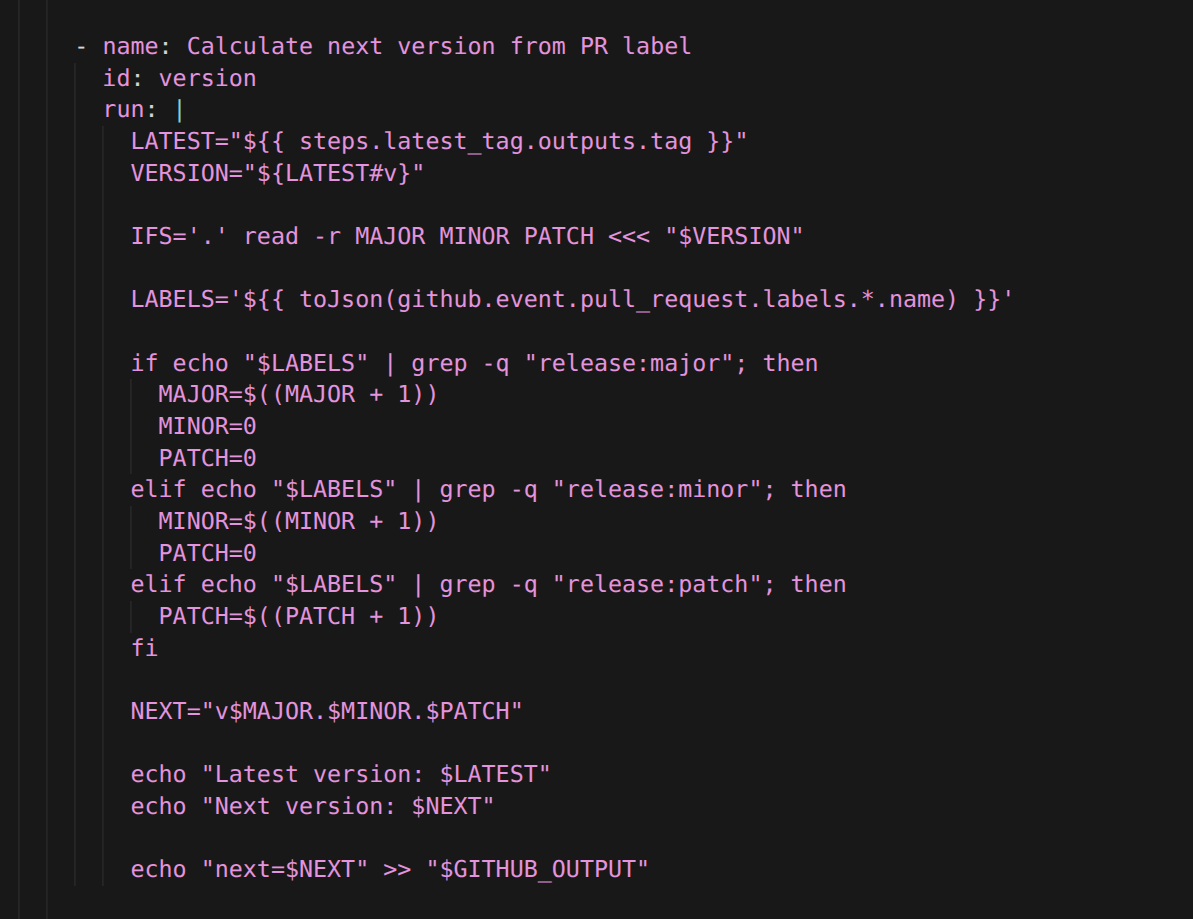
Calculate next version from PR label.
Now the process is clearer:
- the label controls the version bump,
- the workflow calculates the next version,
- and the AI only writes the release notes.
That separation is important.
Step 3: Introduce a release notes template
The next problem was consistency.
A basic prompt can generate release notes, but the structure may vary between releases. Sometimes it may include too many sections. Sometimes it may use different wording. Sometimes it may output empty headings.
To fix that, we introduced a strict Markdown template.
The desired release notes format looked like this:
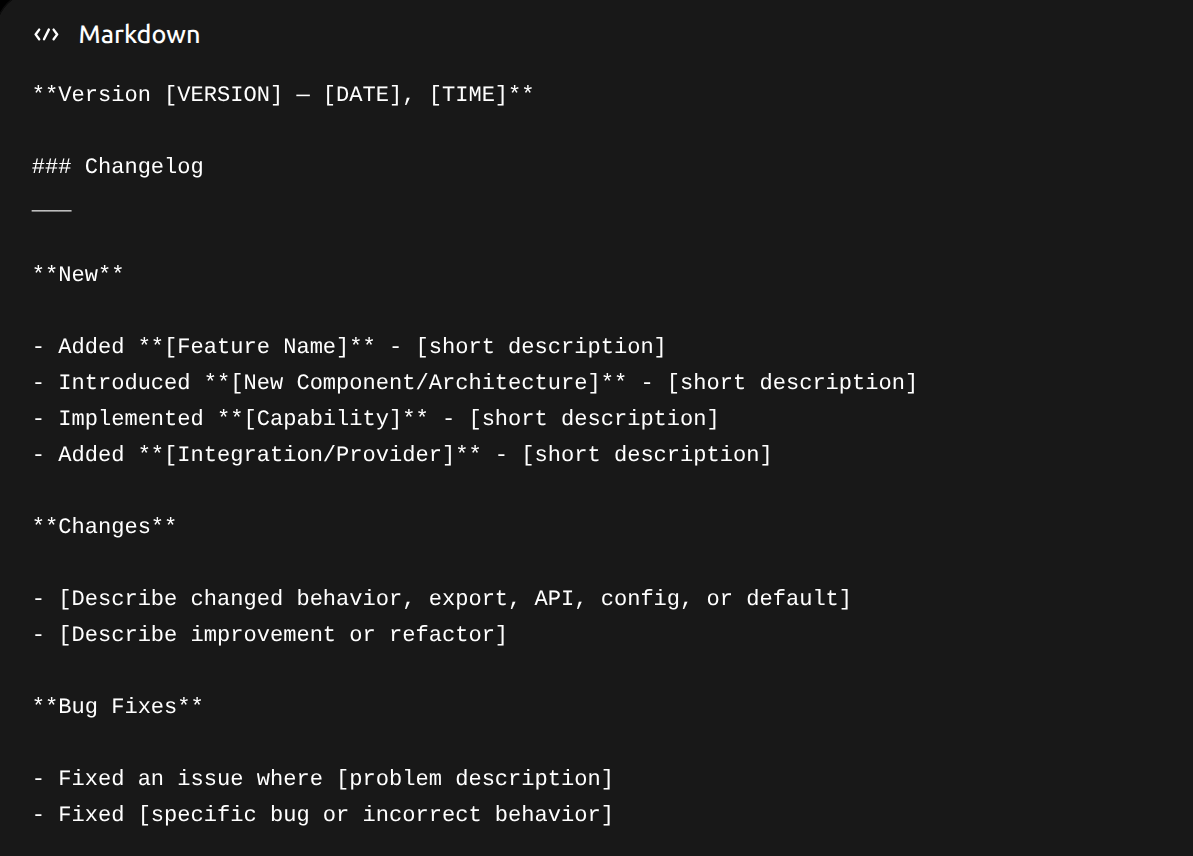
Release notes template.
But the template alone is not enough. The model also needs rules for when sections should be omitted.
For example, if a pull request only fixes a bug, the model should not invent a Changes section just to fill the template.
This is where the LLM instruction becomes the most important part of the setup.
Step 4: Make the AI instruction strict
This is the core of the article.
The workflow is useful, but the quality of the release notes mostly depends on the instruction we give the model.
At first, the model sometimes produced both Changes and Bug Fixes for the same pull request. Technically, every fix changes something, so without a strict rule the model may describe the same work twice:
- once as a change,
- and once as a bug fix.
That is not what we want.
So we made the prompt classify each item by intent:
- Was something added? Use New.
- Was existing behavior intentionally changed? Use Changes.
- Was incorrect behavior fixed? Use Bug Fixes.
The tie-breaker is important:
If something could fit both Changes and Bug Fixes, choose Bug Fixes.
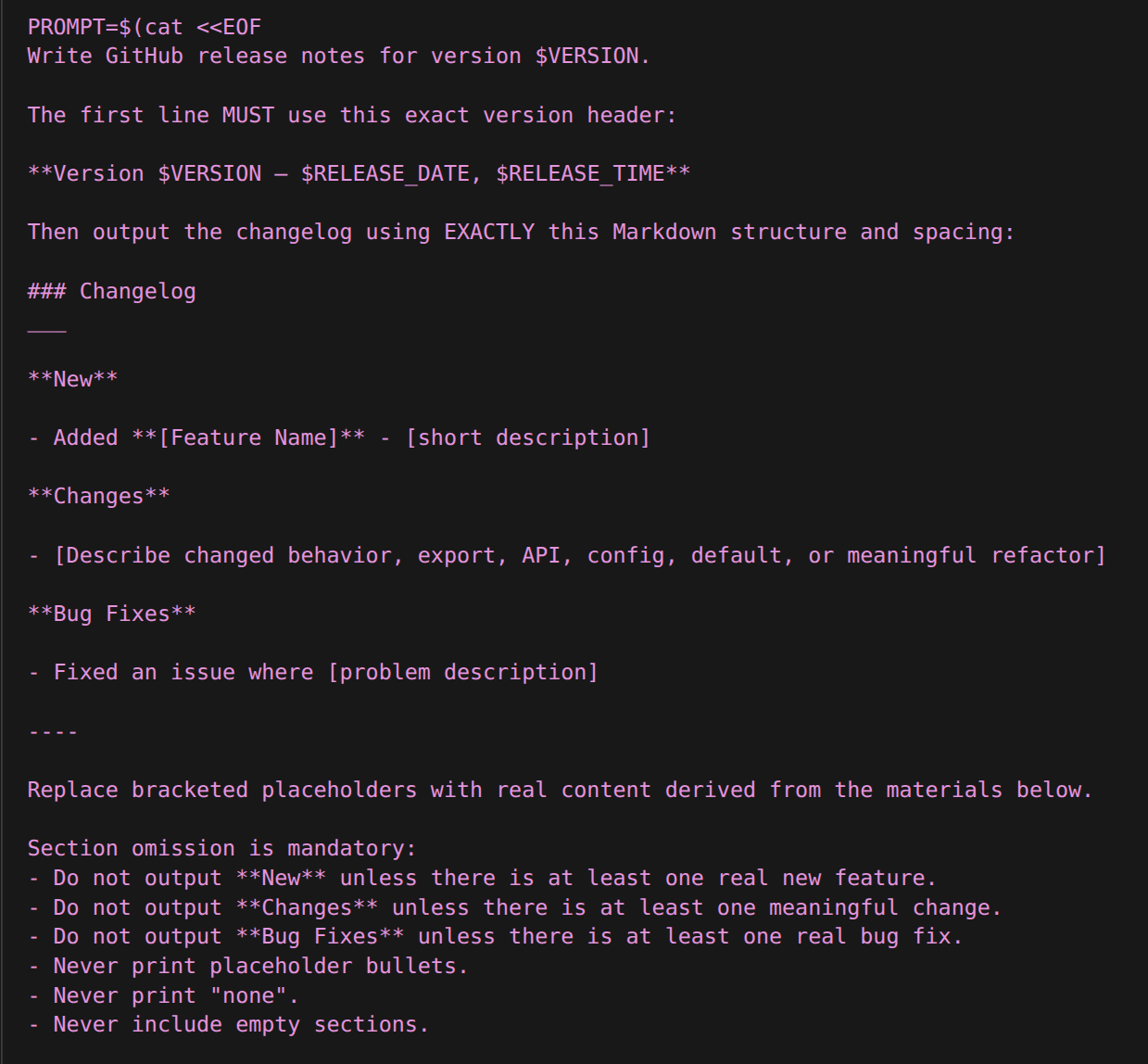
First excerpt of the system prompt distinguishing New versus Changes versus Bug Fixes classifications.
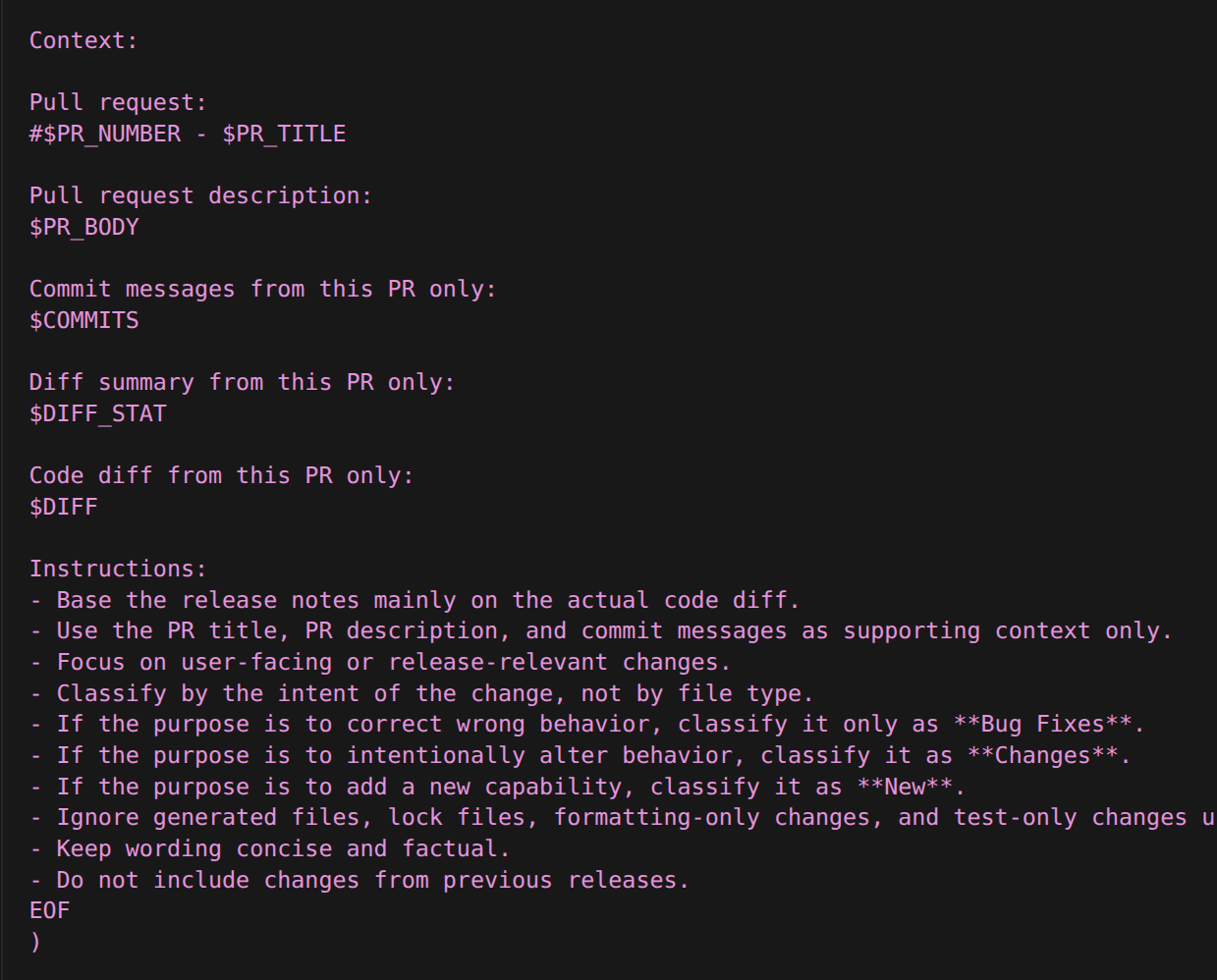
Follow-on instructions telling the model when to omit entire sections rather than emitting empty headings.
This instruction is intentionally longer than the rest of the workflow.
That is because the AI part is not just "call a model." The useful part is giving the model enough structure so that it behaves like a release-note-writing agent instead of a generic text generator.
The model receives:
- the version,
- the exact date and time,
- the required Markdown structure,
- the PR title and body,
- the commits,
- the diff summary,
- the code diff,
- section omission rules,
- classification rules,
- and deduplication rules.
This turns the LLM call into a controlled generation step.
Step 5: Collect only the merged PR changes
One issue we hit was that release notes were generated from too broad of a range.
The workflow originally collected changes from the latest tag to HEAD. That sounds reasonable, but it can accidentally include more than the current pull request.
For PR-based releases, the AI should only see the merged pull request.
So instead of using only the latest tag as the diff range, we collect the context from the PR branch and its merge base.
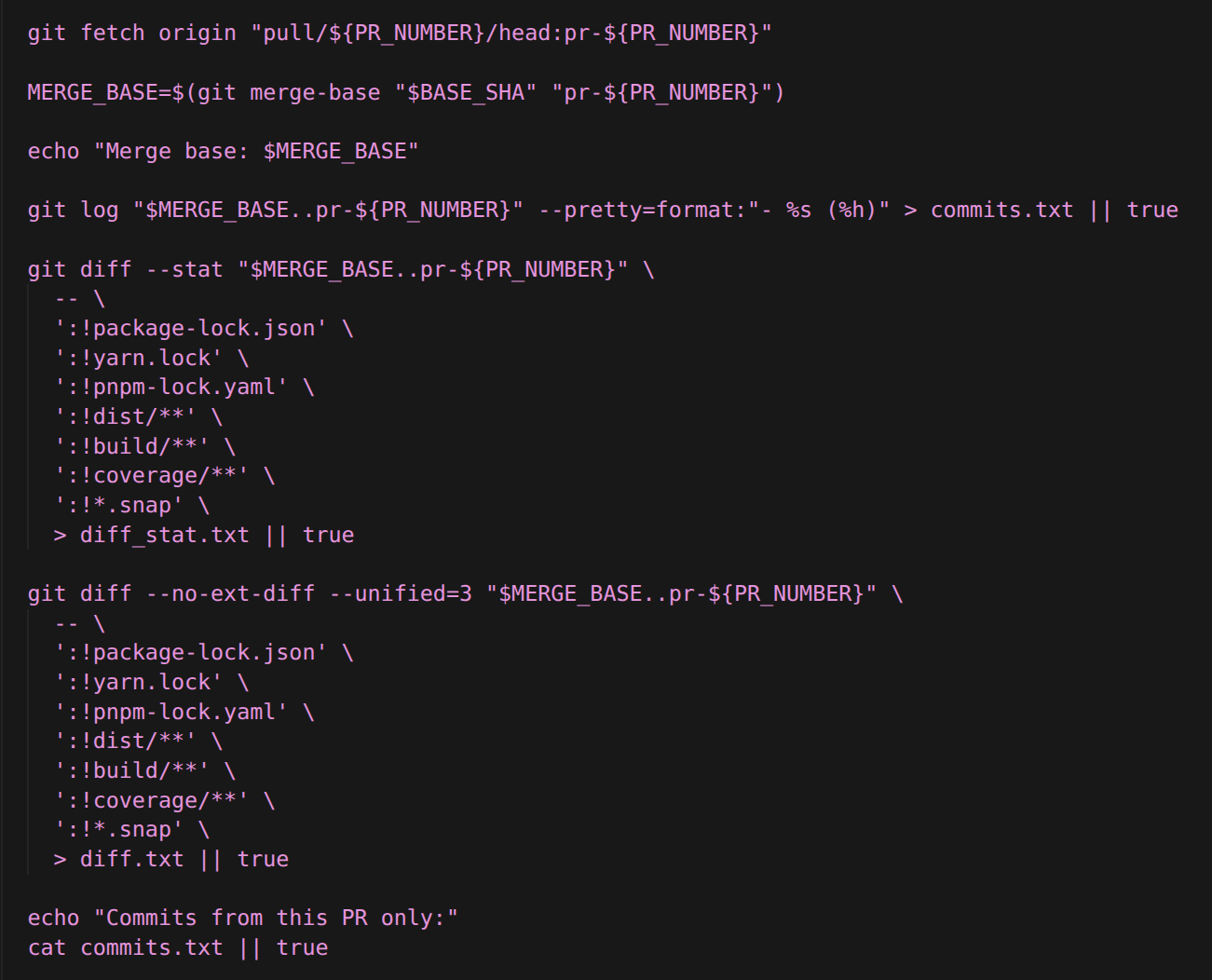
The merged pull request commits and diff bounded to PR scope for the AI call. the diff bounded to PR scope for the AI call.
This makes the release notes more accurate because the model only sees the relevant PR context.
That also reduces hallucination. If the model sees less unrelated code, it has fewer opportunities to summarize things that do not belong in the release.
Step 6: Add the OpenAI API key to GitHub Secrets
The workflow needs an API key to call the OpenAI API.
Add it as a repository secret:
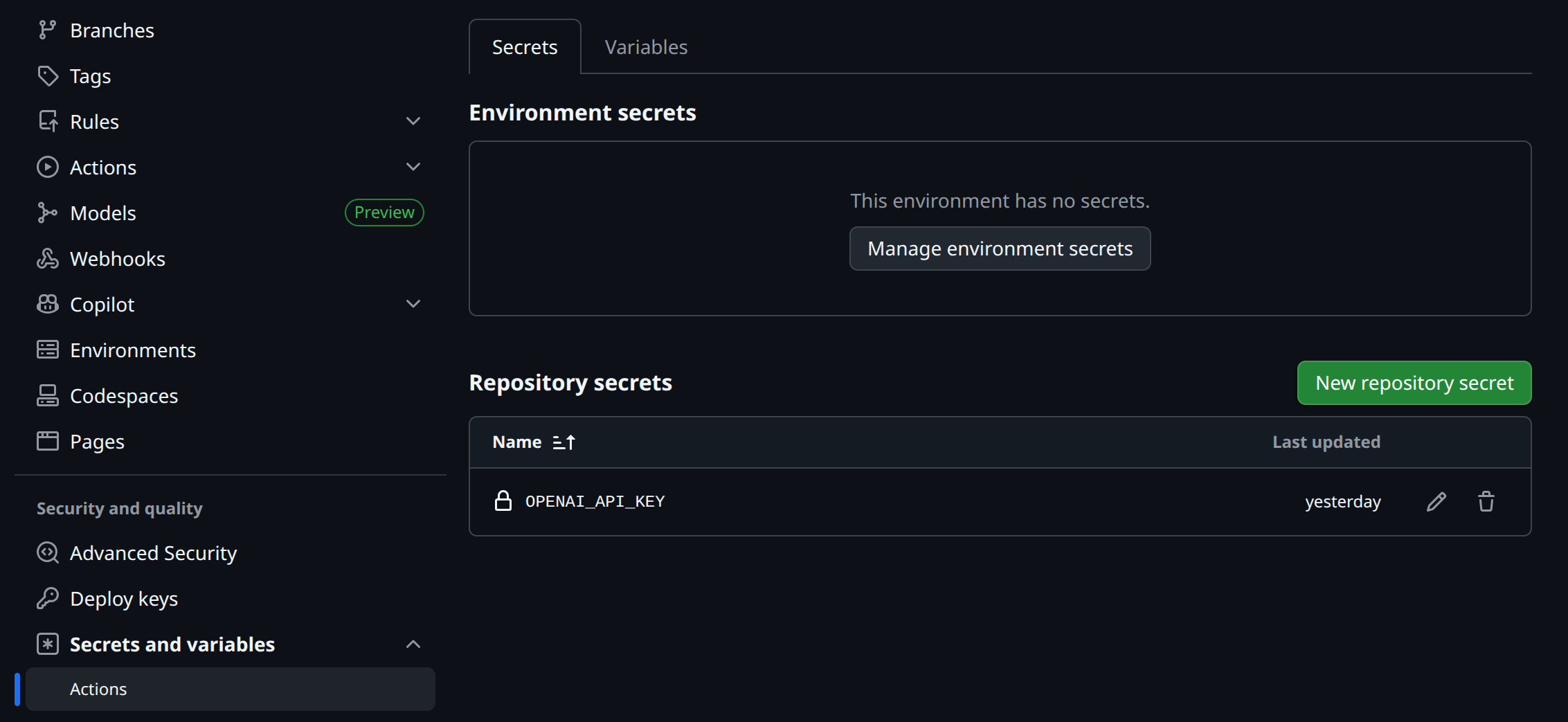
Repository Secrets storing OPENAI_API_KEY outside version control.
In the workflow, pass it to the step like this:

Workflow YAML reading the encrypted secret via env interpolation for authenticated API calls at runtime.
Never hardcode the API key in the workflow file.
Step 7: Create the GitHub release
Once the release notes are generated, the workflow creates a Git tag and a GitHub release.
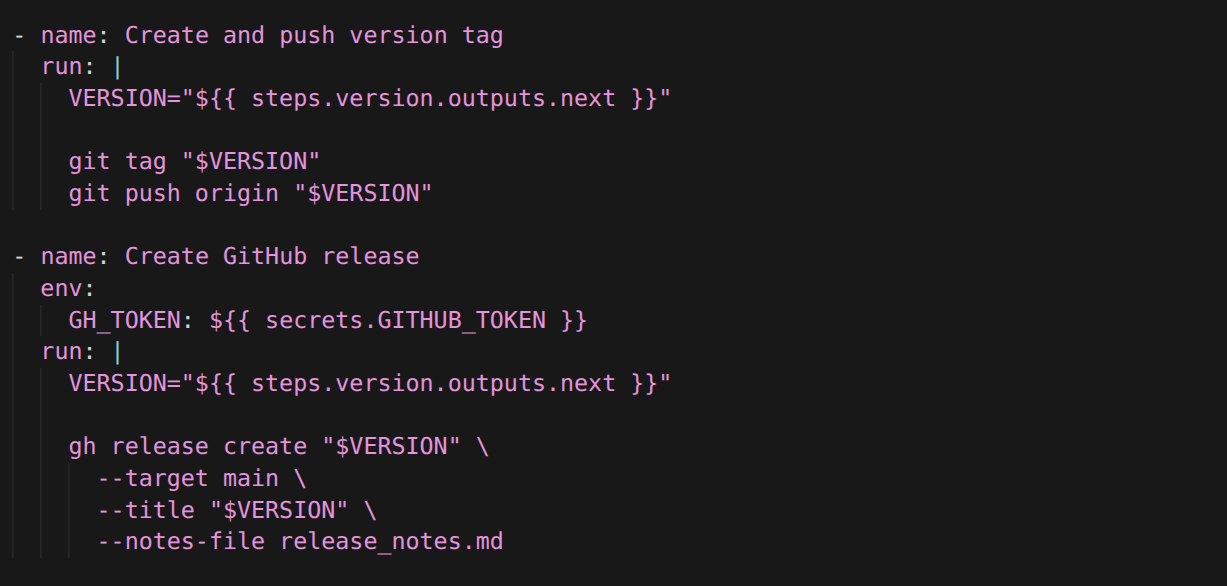
Subsequent workflow steps stamping the semver tag with release notes sourced from generated Markdown.
This completes the basic release automation:
- validate release label,
- calculate version,
- collect PR context,
- call AI,
- generate release notes,
- create tag,
- create GitHub release.
But there is still one problem.
The release workflow validates the label after the PR is merged. That is useful as a safety check, but it is not enough. Ideally, GitHub should block the merge before it happens.
Step 8: Add a separate release label validator workflow
To block merging, we need a required status check.
So we add a second workflow whose only job is to validate that the PR has exactly one release label.
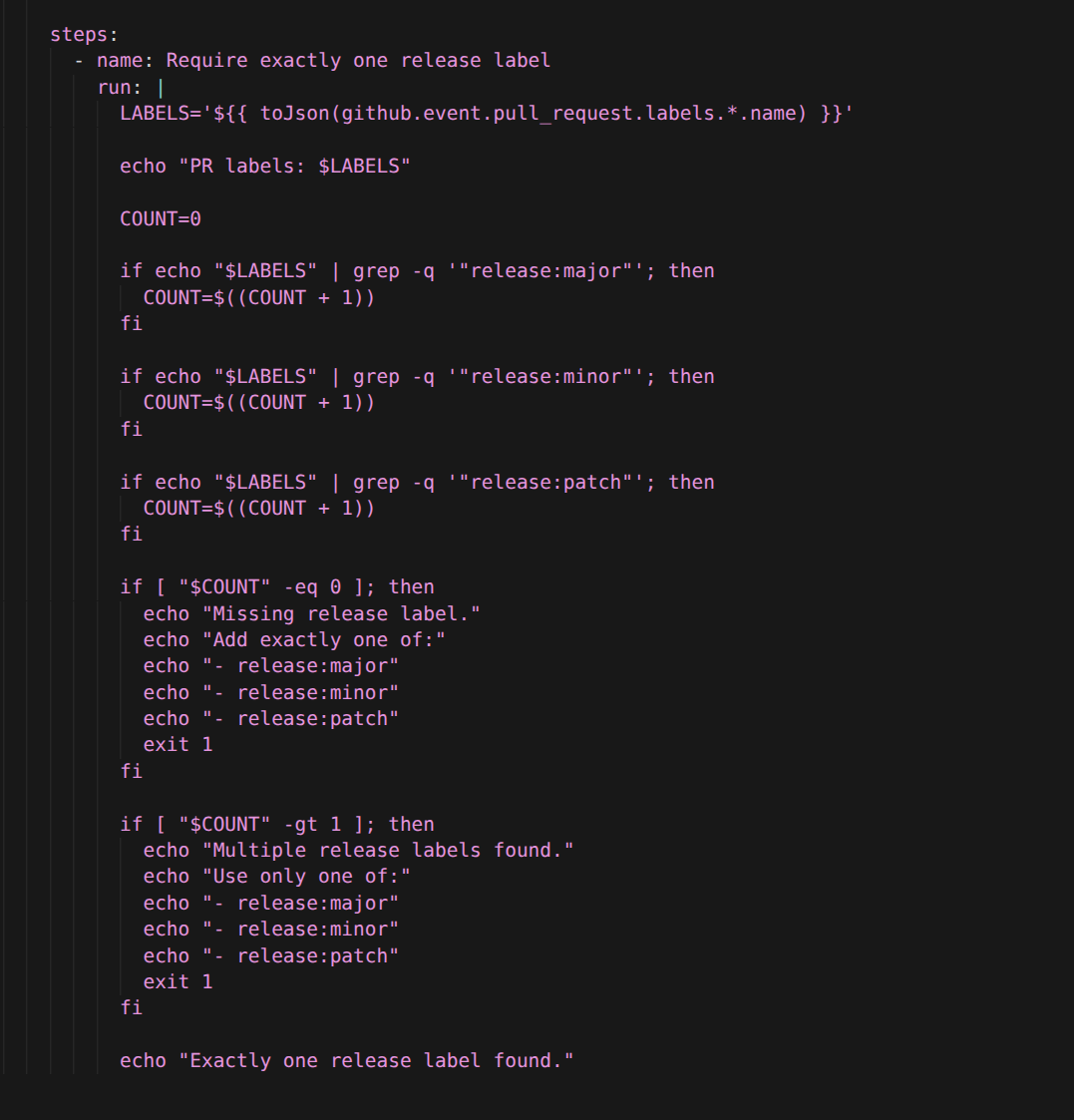
Triggers on PR updates and label changes before merge.
This workflow runs when a PR is opened, updated, labeled, or unlabeled.
That means:
- no release label: failed check,
- one release label: passing check,
- multiple release labels: failed check.
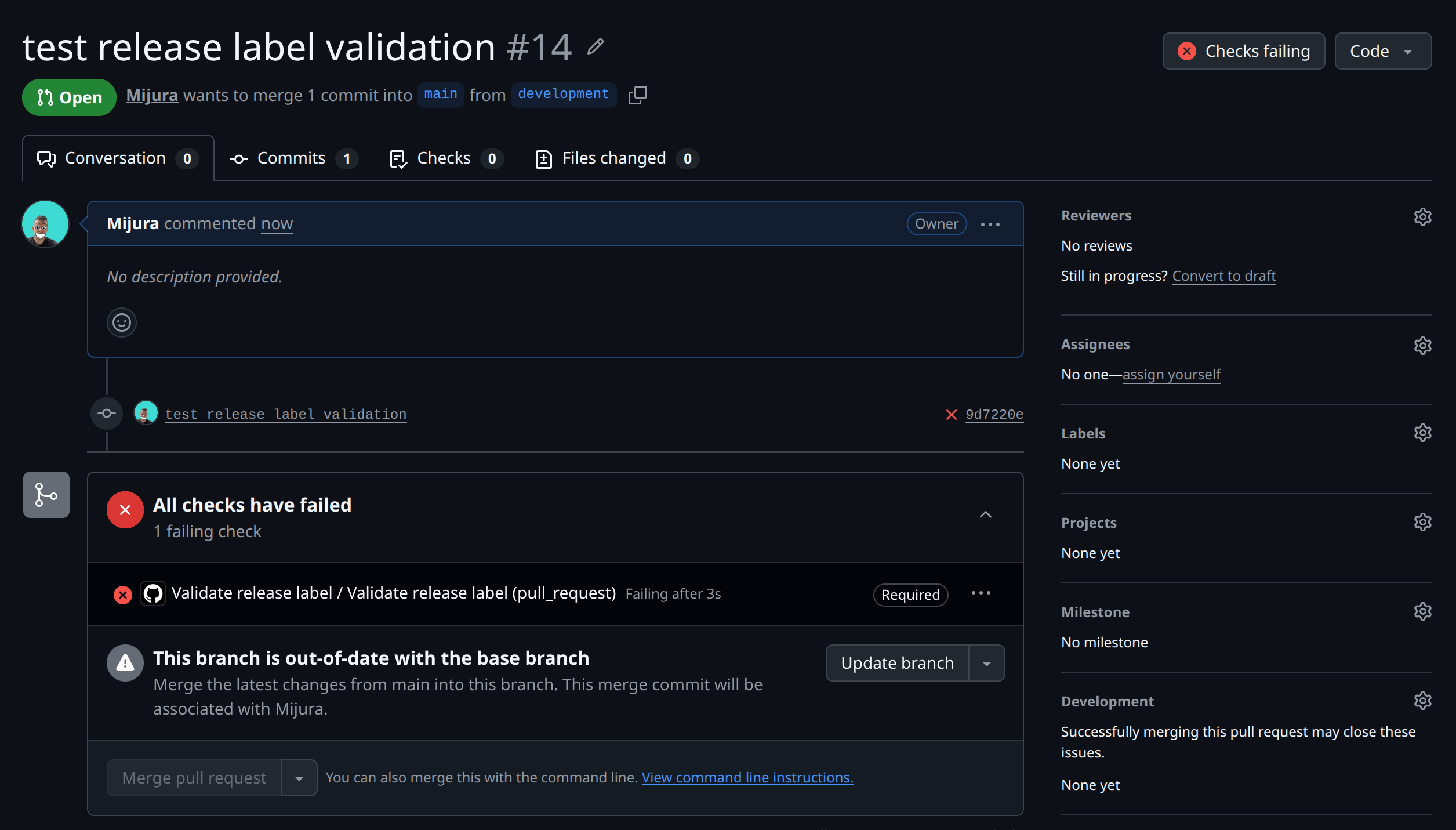
Pull request checks tab with Validate release label failing after missing or mismatched semantic labels.
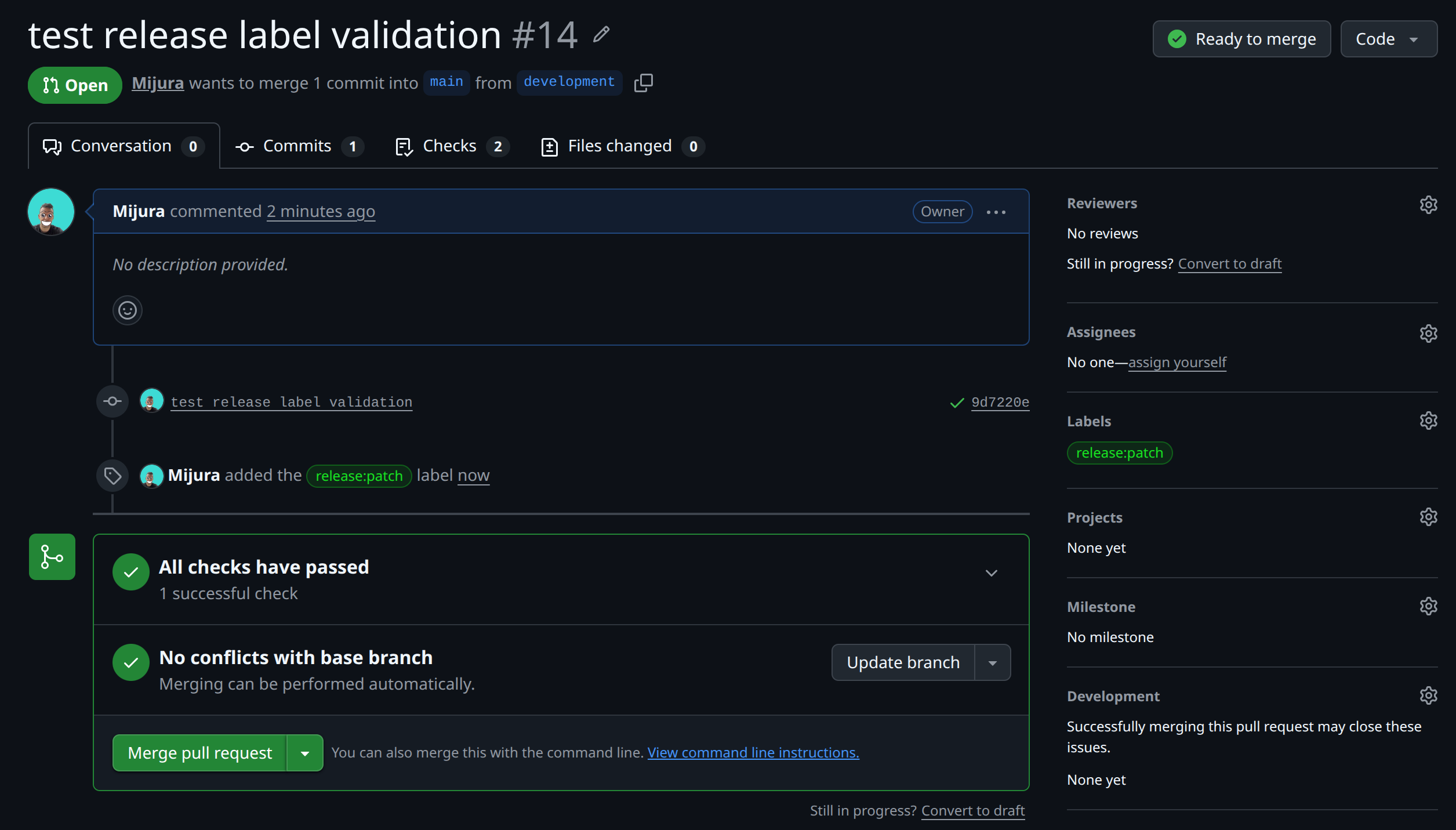
Same checks view succeeding once exactly one semantic release label remains on the pull request.
Step 9: Make the validator required with a ruleset
A workflow can fail without blocking a merge unless GitHub is configured to require it.
So the final step is to make Validate release label a required status check for the main branch.
Use a GitHub ruleset or branch protection rule.
The important settings are:
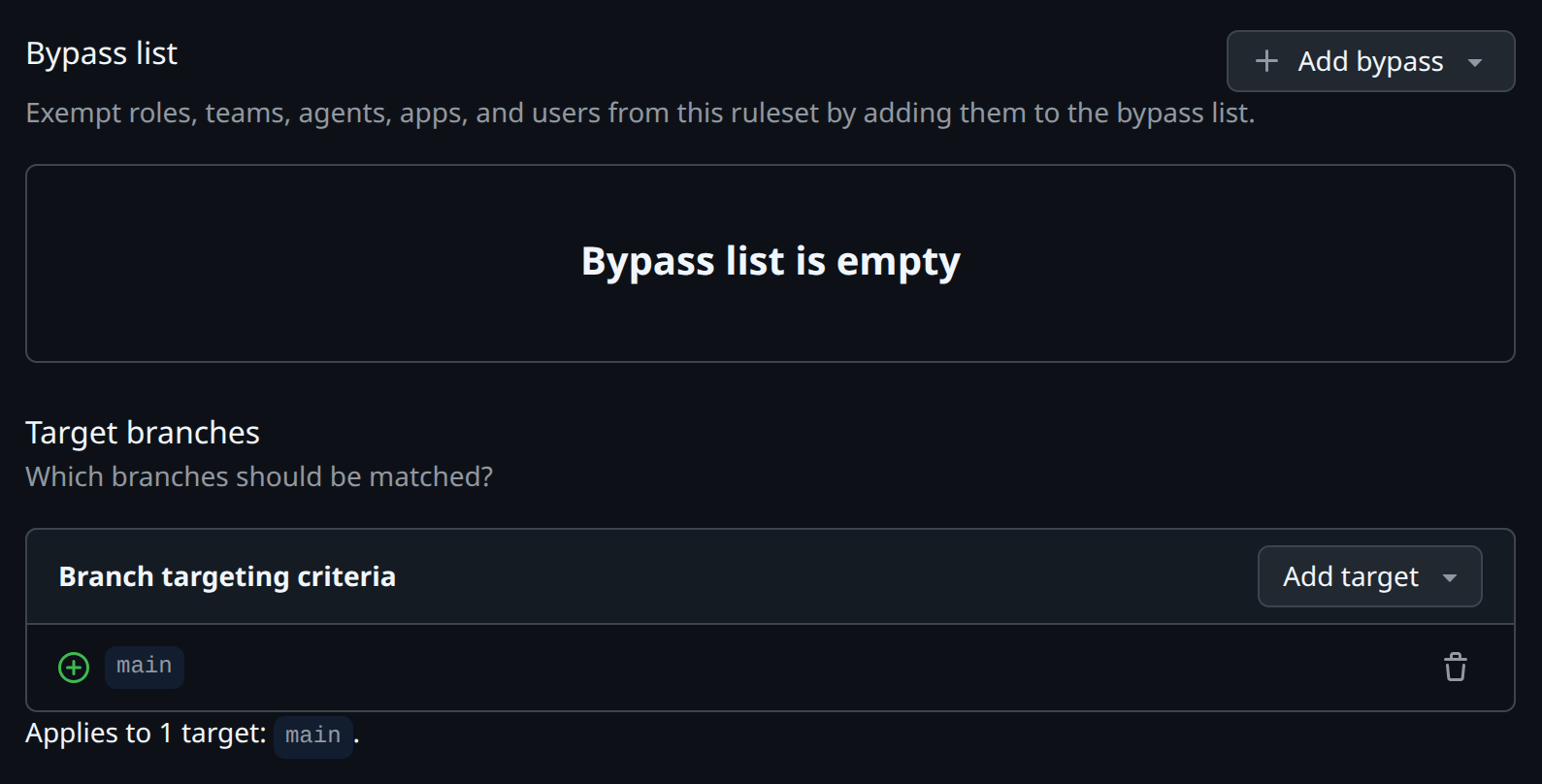
Ruleset wizard scoped to the default branch protecting merges into release automation.
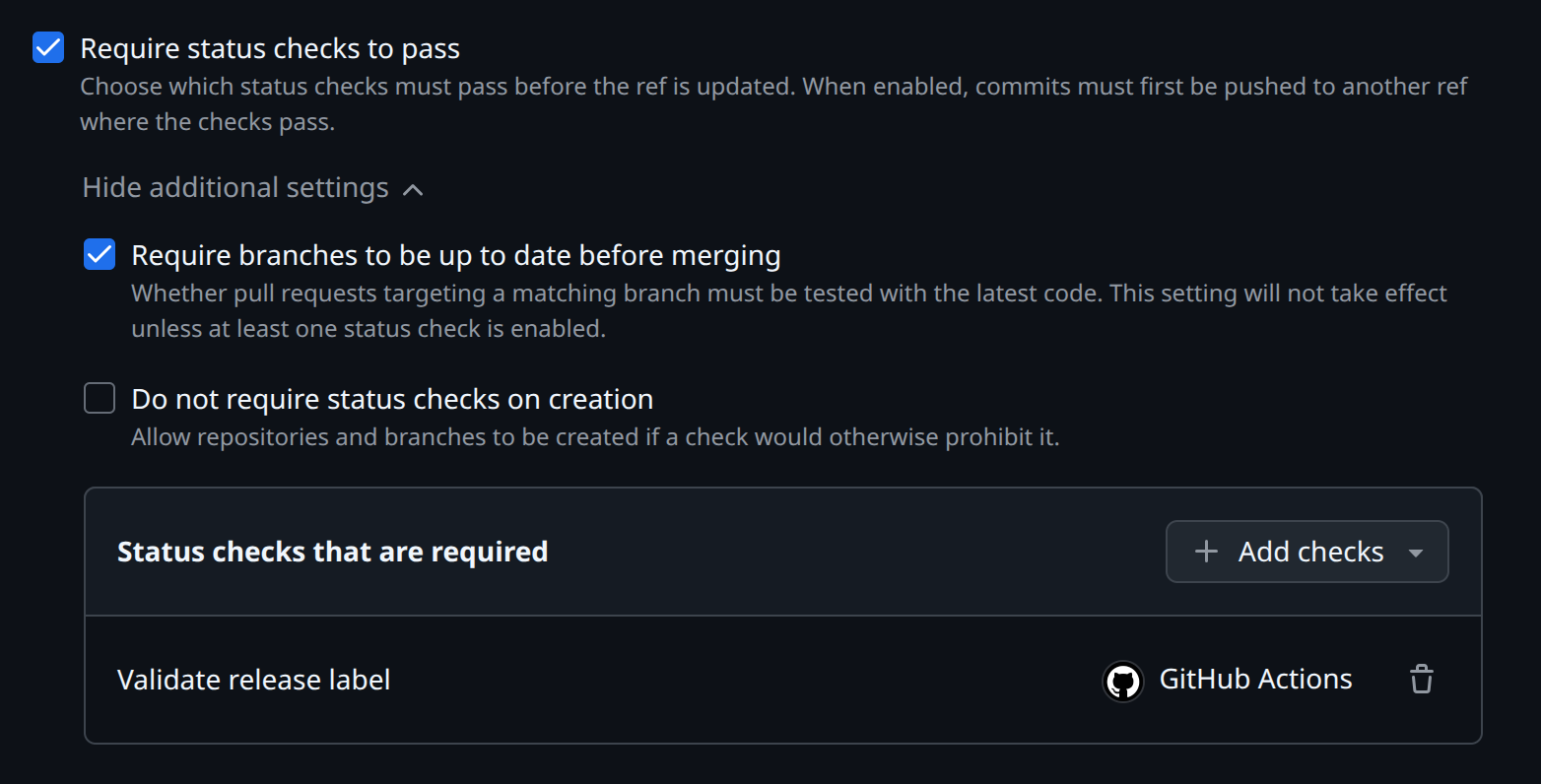
Required checks list including Validate release label so GitHub must see green before merging.
One easy mistake is to create the ruleset but leave enforcement disabled.
If the ruleset says:
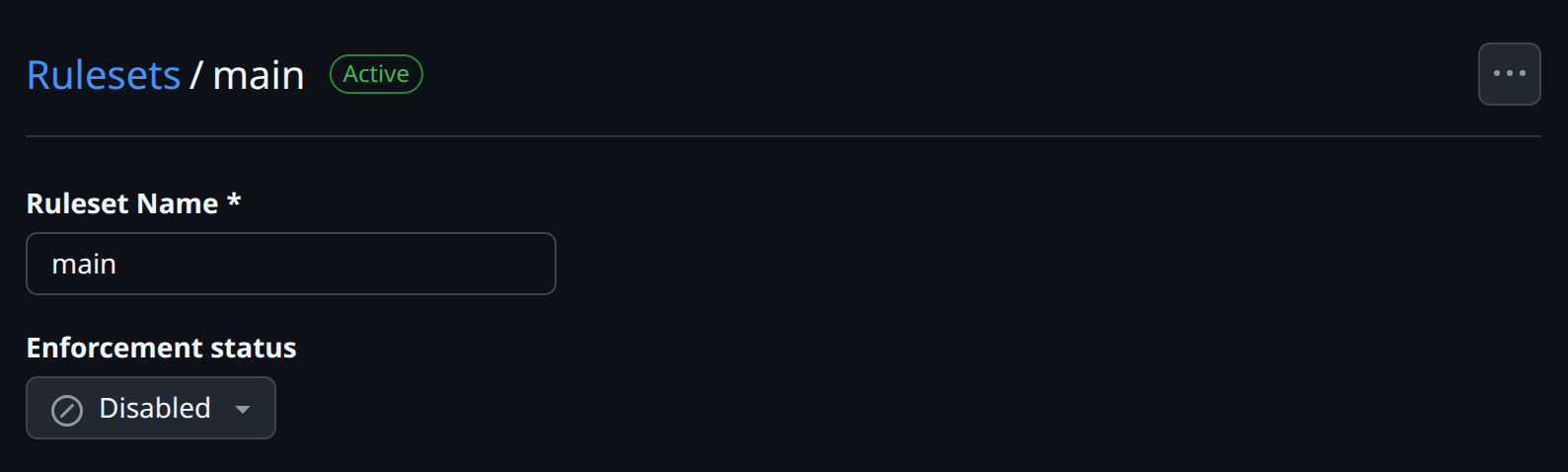
Enforcement disabled.
then GitHub will not block the merge, even if the Action fails.
Make sure it says:

Active enforcement indicator showing the protections now apply at merge time instead of auditing only.
Also, if you are repository owner or admin, make sure the bypass list is empty or that your ruleset does not allow bypassing. Otherwise, you may still be able to merge even when a required check fails.
Step 10: Test the full flow
You can test the setup with an empty commit.
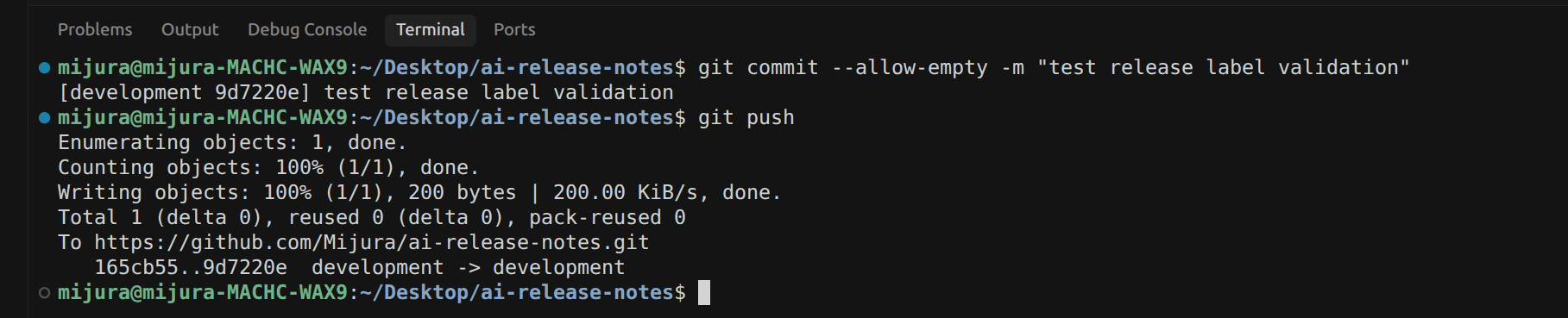
Terminal command creating an empty Git commit to test the flow.
Then try these cases:
| PR labels | Expected result |
|---|---|
| No release label | Validate release label fails |
release:patch only | Validate release label passes |
release:minor only | Validate release label passes |
release:major only | Validate release label passes |
| Two release labels | Validate release label fails |
After the check passes and the PR is merged, the release workflow should:
- calculate the next version,
- collect the merged PR diff,
- generate release notes,
- create a tag,
- publish the GitHub release.
Final result
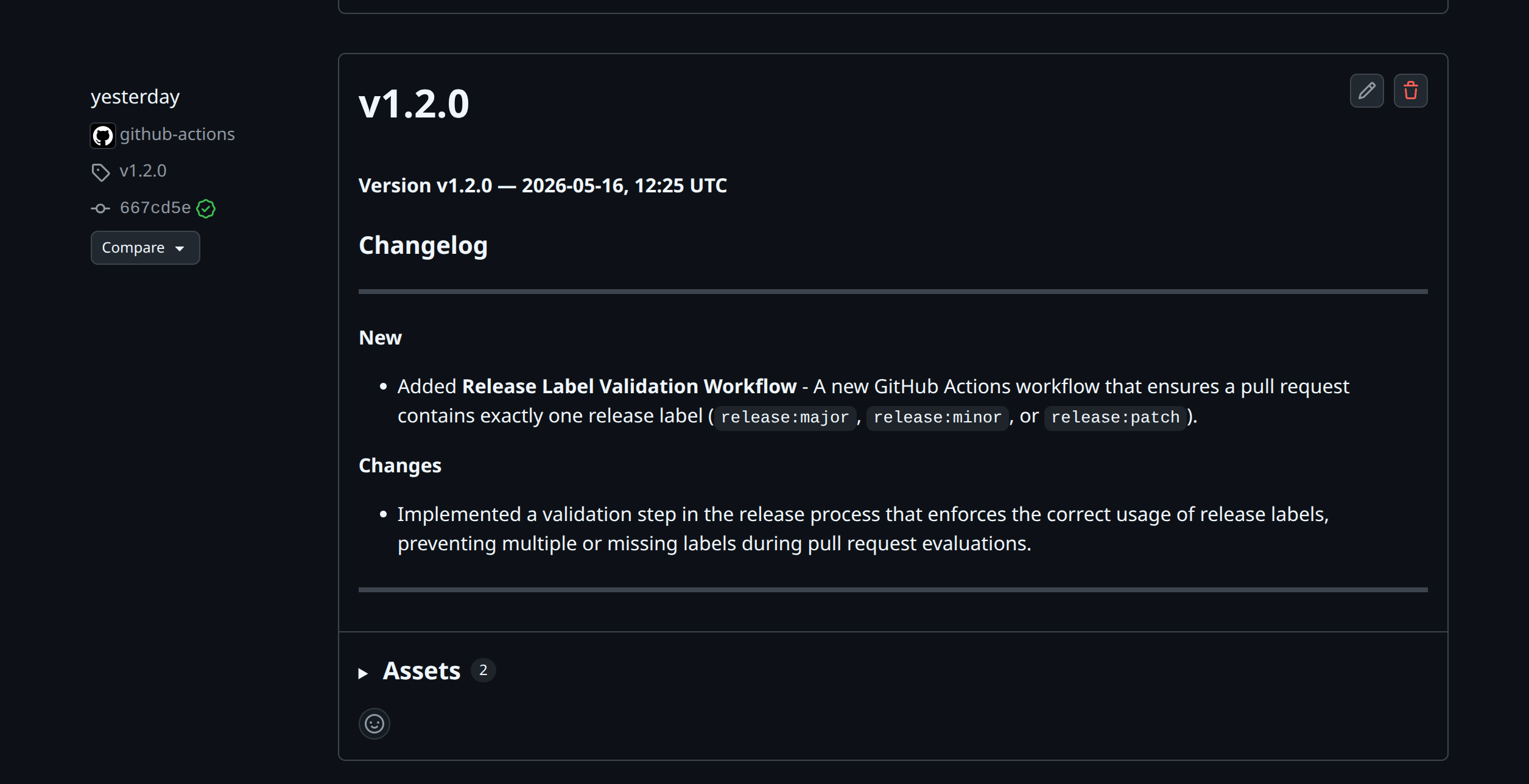
Published GitHub Release page showing the semver tag beside the AI generated Markdown notes from the merged pull request.
With this setup, release creation becomes part of the normal pull request flow.
Developers do not need to remember how to format release notes manually. They only need to choose the correct release label.
GitHub enforces that label before merge.
The release workflow uses that label to calculate the version.
The AI receives only the relevant pull request context and writes release notes using a strict template.
The most important part is the prompt. A basic LLM call can write text, but a carefully instructed release-note agent can produce structured, consistent, and useful changelogs.
The key lessons are:
- Use labels for human-controlled version intent.
- Use GitHub rulesets to enforce the release process.
- Give the AI only the context it needs.
- Use a strict release notes template.
- Tell the model exactly how to classify New, Changes, and Bug Fixes.
- Always include deduplication and section omission rules.
- Keep the release workflow as a final safety check, even if the PR validator already blocks bad merges.
When your workflow repository is public, link it here so readers can copy the complete GitHub Actions YAML.
The full workflow is available in the GitHub repo:
github.com/mijura/ai-release-notes